Livestreaming sends a live audio and video feed from your event to remote viewers watching online. It’s common for corporate conferences, award ceremonies, weddings and panel discussions. If part of your audience can’t be in the room, a livestream keeps them in the event.
What equipment does a live stream require?
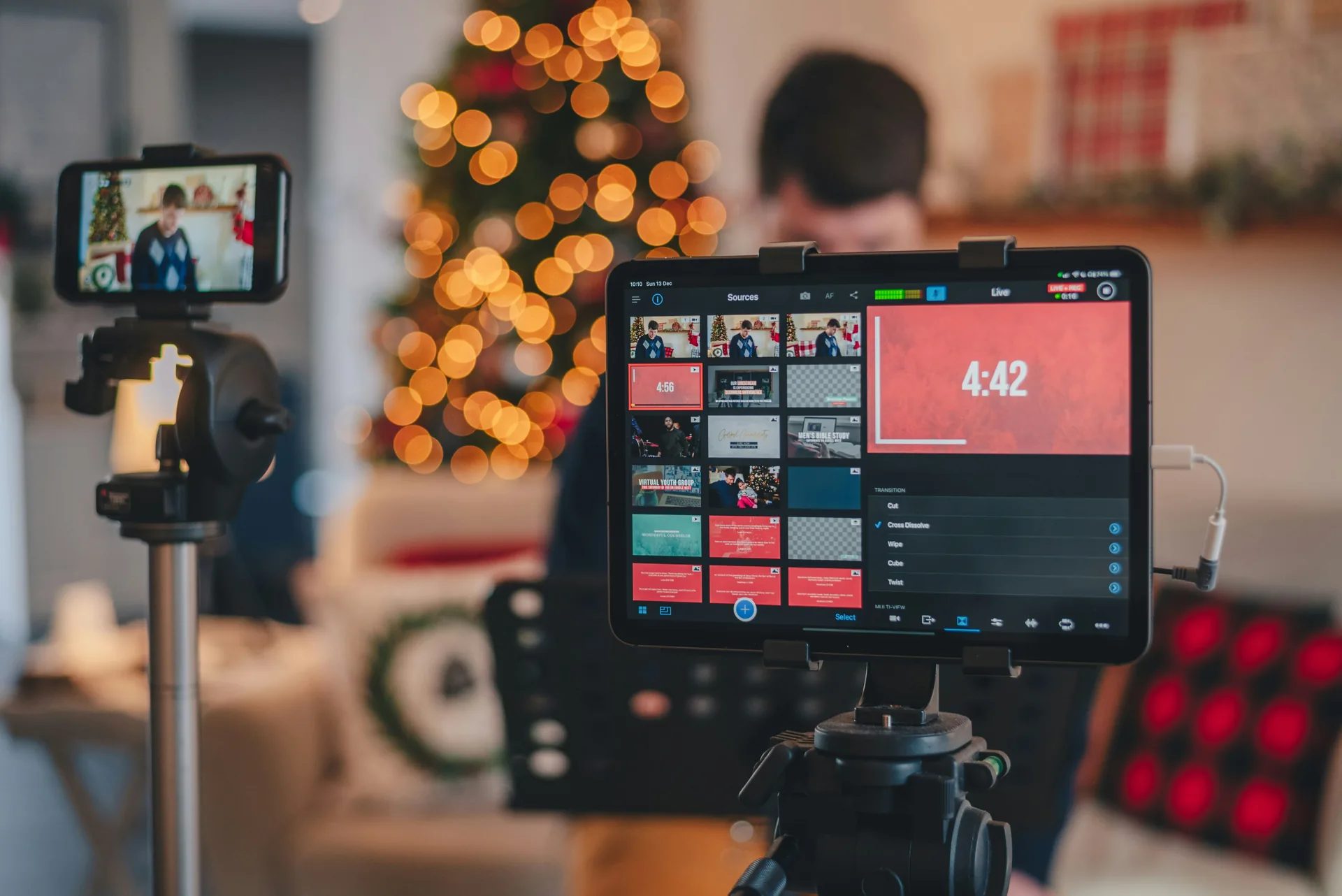
The core pieces of a livestream setup are a camera, an encoder, a stable internet connection, a direct audio feed from your PA system and a monitor for the stream operator.
The camera is typically a PTZ (pan-tilt-zoom) unit or a manned camera, depending on how complex the production is. One camera covers most presentations and ceremonies. Multi-camera setups make sense for panels, concerts or anything with multiple focal points.
The encoder converts the camera signal into a compressed video stream and pushes it to your platform. It can be a hardware encoder or a laptop running streaming software. Either way, it stays on a dedicated internet connection for the duration of the event.
Audio comes from your main PA mix, not a camera microphone. This means the stream gets the same clean audio the room hears. A separate monitor at the stream position lets the operator watch the broadcast feed and catch problems before your audience does.
What internet speed do you need for event livestreaming?
For 720p, you need at minimum 5 Mbps upload with a stable connection. For 1080p, plan for at least 10 Mbps, though 15-20 Mbps gives you more headroom when the connection fluctuates.
Venue WiFi is almost never adequate for a professional livestream. It’s shared across all guests, prone to interference and outside your control. A dedicated hardwired ethernet connection, whether from a cellular bonding device or a separate venue ISP drop, is the standard solution.
When the venue has a wired connection that can be reserved solely for the stream, that’s ideal. When it doesn’t, cellular bonding equipment that combines multiple cellular signals into one stable connection is the fallback. Channel AV handles internet logistics at every livestream event.
How far in advance should you book livestreaming?
Give yourself at least two to four weeks of lead time. For larger conferences or setups with multiple cameras, six weeks is a better target.
When you reach out, have these ready: event date and location, how many camera positions you think you’ll need, which platform you’re streaming to, whether you also want a recording and whether the venue has dedicated internet infrastructure.
Can you livestream an outdoor event?
Yes, with some extra planning. The two things that change outdoors are power and internet.
Power for cameras, encoders and monitors has to come from somewhere. Generator setups or long power runs are common when there’s no accessible outlet near the stream position.
Internet is the harder problem. Venue wired infrastructure rarely extends to outdoor spaces, so cellular bonding is usually the most practical solution for outdoor events in the Nashville area. Budget time for weather protection if the production runs long.
Livestreaming vs. recording: what’s the difference?
A livestream goes to viewers as it happens. If something goes wrong mid-event, they see it. A recording captures everything to a file you can edit, trim and distribute afterward.
The equipment overlaps significantly. The same camera and audio feed that goes to the encoder can also feed a recording device. Channel AV can run both at the same event. Many clients do.
Frequently Asked Questions
What equipment do I need to livestream an event? You’ll need a camera, an encoder to convert the signal, a stable internet connection and streaming software to broadcast to your chosen platform.
How much internet bandwidth is required for livestreaming? Bandwidth needs vary by quality, but most event livestreams require 5-25 Mbps upload speed depending on resolution and frame rate.
Should I hire a professional technician to run the livestream? Yes, a dedicated technician manages the camera, audio levels, encoding and troubleshoots issues during the live broadcast to ensure quality for remote viewers.